How to Make a Wedding Seating Chart Online (Free)
4 min read
The seating chart is the part of wedding planning everyone postpones: the guest list keeps changing, aunt Carol can't sit next to uncle Pete, and the spreadsheet you started in week one has three conflicting copies. Here is a calmer way to do it — a free online seating chart that reads your live guest list, so the plan is never out of date.
Step 1 — Get the guest list in first
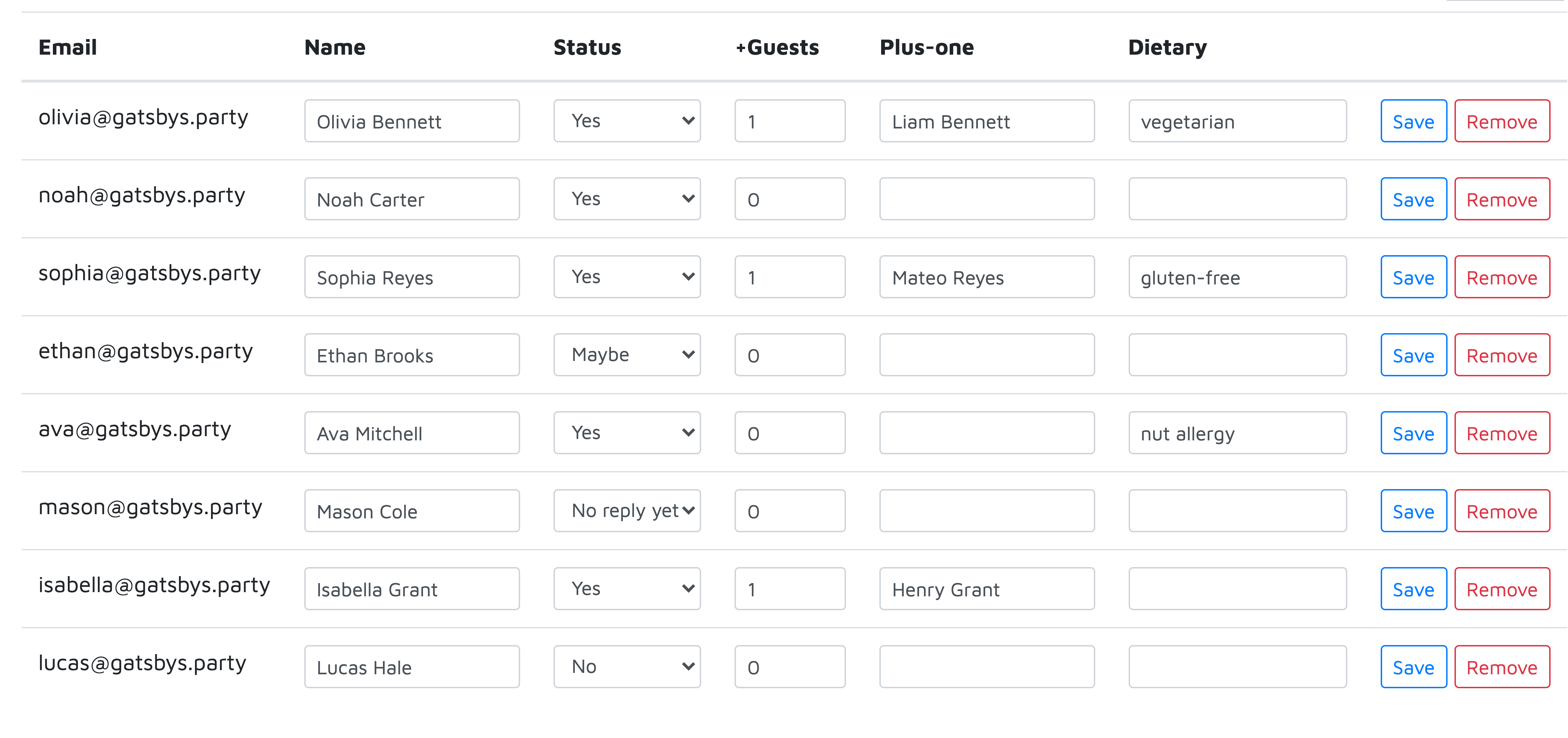
A seating chart is only as good as the list behind it. In the guest list manager you can paste your whole list at once — one guest per line, "Name, email" — or import a CSV from your old spreadsheet. RSVPs, plus-ones and dietary notes all live on the same row, which matters in a minute.
Step 2 — Lay out the room
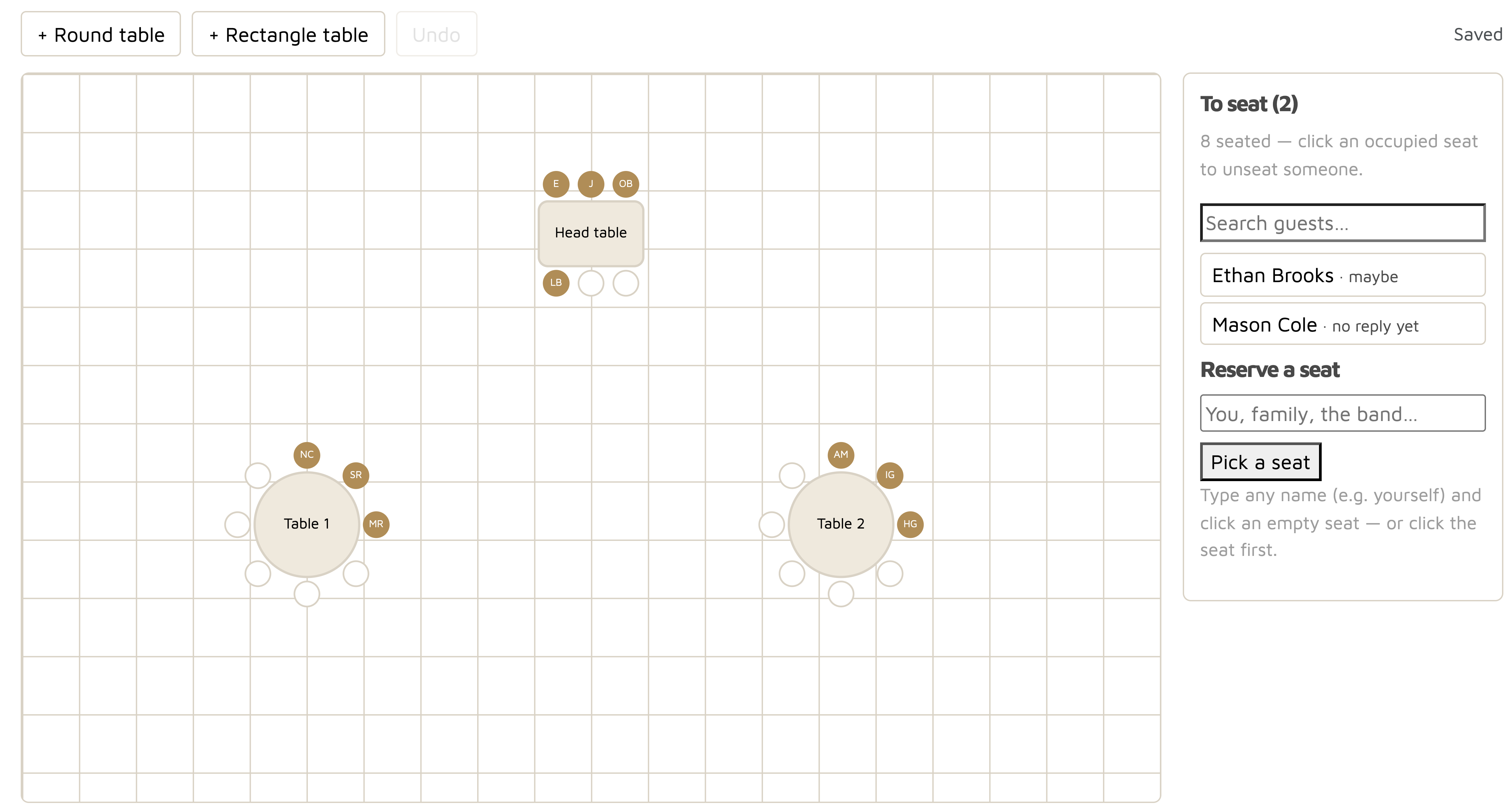
Add round or rectangle tables and drag them around the floor plan until it matches your venue: a head table by the dance floor, guest tables around it. Click a table to rename it ("Head table", "College friends") or change how many seats it has — the seats redraw around it automatically.
Step 3 — Seat people the human way
Click an empty seat, then click a guest — or pick the guest first if you prefer. Seated guests disappear from the to-seat list so you always see who is still left. Plus-ones show up as their own seats with their real names, so "Olivia + Liam" never collapses into one anonymous chair. Need to reserve spots for yourselves, parents or the band? Type any name and place it.
Changed your mind? Click an occupied seat to free it and the guest pops back into the list. Everything saves automatically.
Step 4 — Turn the chart into place cards
When the chart is done, one click sends every seated guest — table names attached — into our free place card maker. Pick a design, choose fonts and colors, download a print-ready PDF (plain A4 or Avery 5011/5371/5820 pre-cut sheets).
A few seating rules that actually help
Keep couples and plus-ones together; split feuding relatives across the room, not just across the table; put louder friend groups near the music and older guests further from the speakers; and leave one or two free seats per table for late "yes" replies. With a live chart, a late RSVP is a ten-second fix instead of a reprint.
Frequently asked questions
Is the wedding seating chart tool free?
Yes — the seating chart, guest list, RSVPs and checklist are free. You only pay if you order premium place card designs.
Can I seat plus-ones under their own names?
Yes. When a guest RSVPs with a plus-one's name, that person appears as their own seat in the chart, so every chair has a real name on it.
Can I print place cards straight from the seating chart?
Yes — one click exports every seated guest with their table name into the place card maker, where you pick a design and download a print-ready PDF.
What happens when a guest replies late or cancels?
The chart reads your live guest list, so a late yes or a cancellation is a ten-second drag-and-drop fix — no reprinting a poster or redoing a spreadsheet.