How to Collect Wedding RSVPs Online
4 min read
Paper reply cards get lost, group chats bury answers, and three weeks before the day you're texting half the list "so… are you coming?". An online RSVP fixes all of it: guests reply in thirty seconds from their phone, and your list updates itself.
Give guests one beautiful page
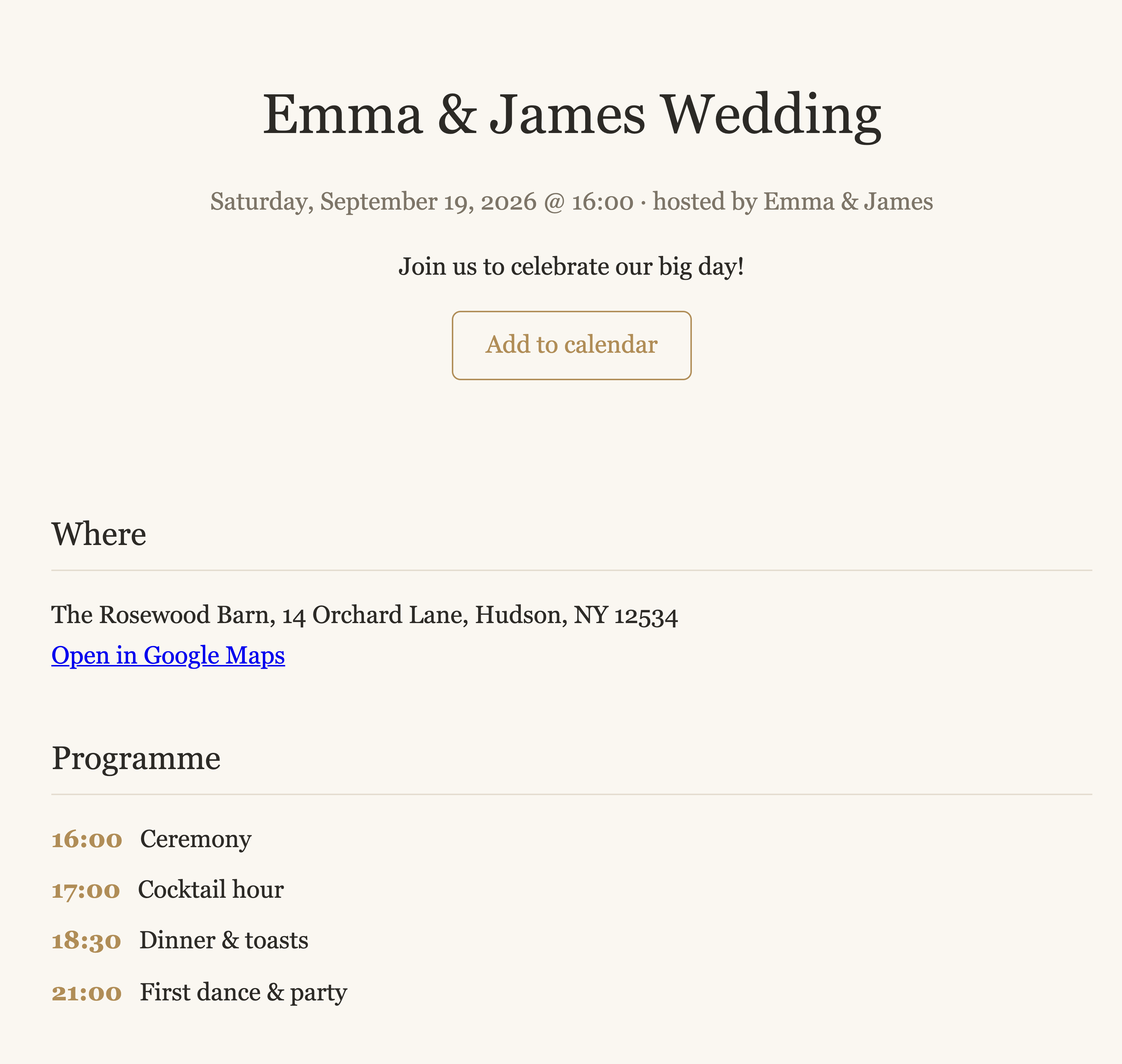
Each event in our planner gets a public page — date, venue with a map link, the day's programme, a photo gallery and an "Add to calendar" button. The RSVP form is right there: name, attending yes/no/maybe, how many guests, the plus-one's name and any dietary restrictions.
Personal links beat open forms
When you email invitations from the planner, every guest gets a personal link — their form arrives pre-filled, so replying takes seconds and nobody mistypes an email into the wrong reply. The page itself can stay unlisted until you publish it; guests with a personal link always get through.
Watch the answers arrive
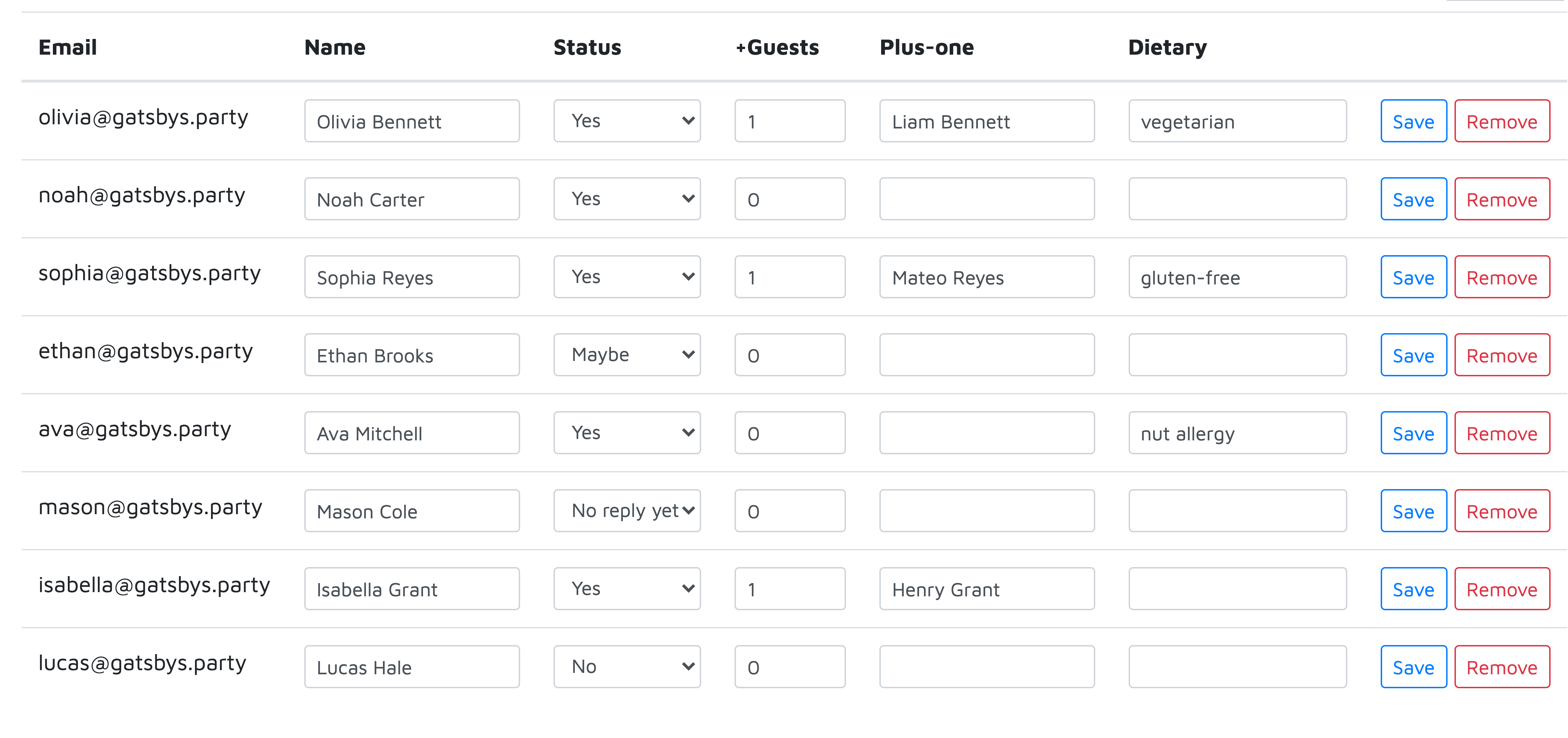
Replies, plus-one names and dietary notes land straight in your guest list — no copy-pasting. Set a reply-by deadline and the form closes itself after it; automatic email reminders nudge anyone who hasn't answered, and only them.
What the numbers feed next
The same list drives the seating chart (with every plus-one as a named seat), the caterer's headcount (one-click CSV export), and the printable place cards. Collect once, use everywhere.
Frequently asked questions
Do my guests need an account to RSVP?
No — guests open your event page or their personal link and reply right there. No sign-up, no app, works on any phone.
Can I set an RSVP deadline?
Yes. Set a reply-by date and the form closes itself after it. Automatic email reminders nudge only the guests who haven't answered yet.
What about guests who don't use email?
Add them without an email address and update their status yourself, or share the public page link any way you like — chat, text, or a QR code on the printed invitation.